
- 1 Front Camera – Clearer Vision Ahead Record every journey in Full HD 1080P clarity with the front camera capturing sharp road details, signs, and license plates even at high speed. The wide-angle lens expands visibility to reduce blind spots and ensure a clear forward view. Combined with 360? multi-channel coverage, it forms the first line of protection during everyday driving, highway cruising, or urban traffic.
- 2 Rear Camera – Safer Reversing & Rear Protection The rear camera provides continuous back view recording and automatically activates real-time reverse display when you shift into reverse gear, helping you park with confidence. During driving, it monitors vehicles approaching from behind; in case of a collision, the system instantly locks and saves the footage, preventing it from being overwritten–ideal for accident review and insurance claims.
- 3 Side Cameras – 180? Rotatable for Complete Coverage Both left and right cameras rotate up to 180?, giving you the flexibility to aim toward door zones, interior space, or lane edges. These side cameras add critical blind-spot coverage, capturing events such as side swipes, close passes, or door openings. They work seamlessly with the front and rear lenses to deliver true 360? all-around monitoring, enhancing your driving awareness and safety from every direction.
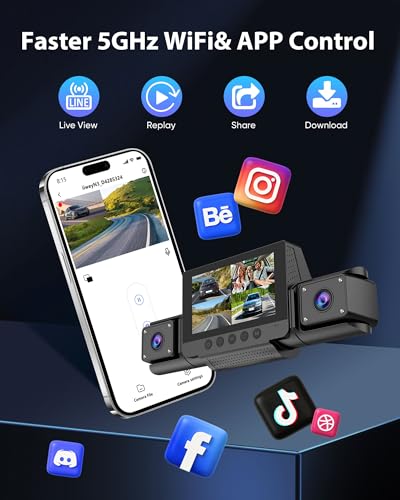
- 4 Smart App Control, Loop Recording & G-Sensor Easily manage your recordings with Wi-Fi App control (iOS/Android) — preview live video, download footage, or share clips instantly. Loop recording ensures continuous use by overwriting the oldest unlocked files, while the G-Sensor locks impact footage automatically for secure evidence.
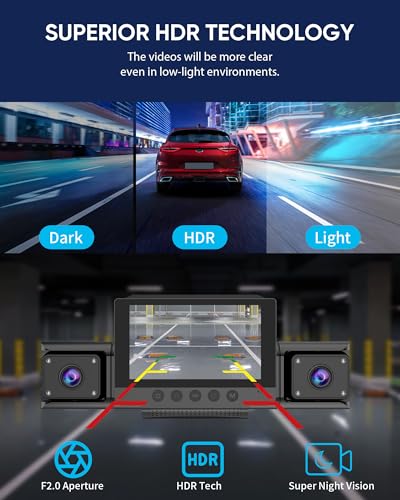
- 5 24-Hour Parking Mode & Enhanced Night Recording Stay protected even when parked. With constant power, the dash cam enters Parking Guard Mode — recording motion or impacts while you’re away. Combined with infrared night vision, it captures clear footage in low-light or nighttime conditions. Designed for cars, SUVs, and trucks with stable inside-windshield mounting.
- 6 Easy Operation & App Setup The dash cam uses a sliding 3M mount. Slide the mount to the right to remove it, fix the 3M pad on the windshield first, then complete wiring and slide the cam back in place. Press Power to turn the screen on/off; Up for night vision, long-press Up for the Wi-Fi/App page (name & password shown). OK starts/stops recording; Down switches views or long-press for dual-channel; M opens settings.For any issues, please contact us for help.




United States
4-Channel 360° Dash cam Front and Rear FHD
- 1 Front Camera – Clearer Vision Ahead Record every journey in Full HD 1080P clarity with the front camera capturing sharp road details, signs, and license plates even at high speed. The wide-angle lens expands visibility to reduce blind spots and ensure a clear forward view. Combined with 360? multi-channel coverage, it forms the first line of protection during everyday driving, highway cruising, or urban traffic.
- 2 Rear Camera – Safer Reversing & Rear Protection The rear camera provides continuous back view recording and automatically activates real-time reverse display when you shift into reverse gear, helping you park with confidence. During driving, it monitors vehicles approaching from behind; in case of a collision, the system instantly locks and saves the footage, preventing it from being overwritten–ideal for accident review and insurance claims.
- 3 Side Cameras – 180? Rotatable for Complete Coverage Both left and right cameras rotate up to 180?, giving you the flexibility to aim toward door zones, interior space, or lane edges. These side cameras add critical blind-spot coverage, capturing events such as side swipes, close passes, or door openings. They work seamlessly with the front and rear lenses to deliver true 360? all-around monitoring, enhancing your driving awareness and safety from every direction.
- 4 Smart App Control, Loop Recording & G-Sensor Easily manage your recordings with Wi-Fi App control (iOS/Android) — preview live video, download footage, or share clips instantly. Loop recording ensures continuous use by overwriting the oldest unlocked files, while the G-Sensor locks impact footage automatically for secure evidence.
- 5 24-Hour Parking Mode & Enhanced Night Recording Stay protected even when parked. With constant power, the dash cam enters Parking Guard Mode — recording motion or impacts while you’re away. Combined with infrared night vision, it captures clear footage in low-light or nighttime conditions. Designed for cars, SUVs, and trucks with stable inside-windshield mounting.
- 6 Easy Operation & App Setup The dash cam uses a sliding 3M mount. Slide the mount to the right to remove it, fix the 3M pad on the windshield first, then complete wiring and slide the cam back in place. Press Power to turn the screen on/off; Up for night vision, long-press Up for the Wi-Fi/App page (name & password shown). OK starts/stops recording; Down switches views or long-press for dual-channel; M opens settings.For any issues, please contact us for help.
| Brand | JanFir |
|---|---|
| Manufacturer | DongguanAlaike Electronics Co.,LTD |
| Color | Matte black |
| Width | 1.8 inches |
| Height | 2.6 inches |
| Length | 4.5 inches |



Reviews
There are no reviews yet.